 The Food Safety App
The free Safer Food, Better Business diary for UK food businesses
Safer Food, Better Business without the ring binder. Fill in your diary in a couple of taps a day, and when an officer asks, hand over a pack built from the entries you made, signed by whoever made them, on the FSA’s own forms.


Free to use. No ads, no paywalls.
Safer Food, Better Business is the Food Standards Agency food safety management pack that most small UK caterers work to. It asks you to write down how your kitchen does things, and then to keep a daily record showing you actually did them. The writing down is a one-off. The daily record is the part that quietly falls behind.
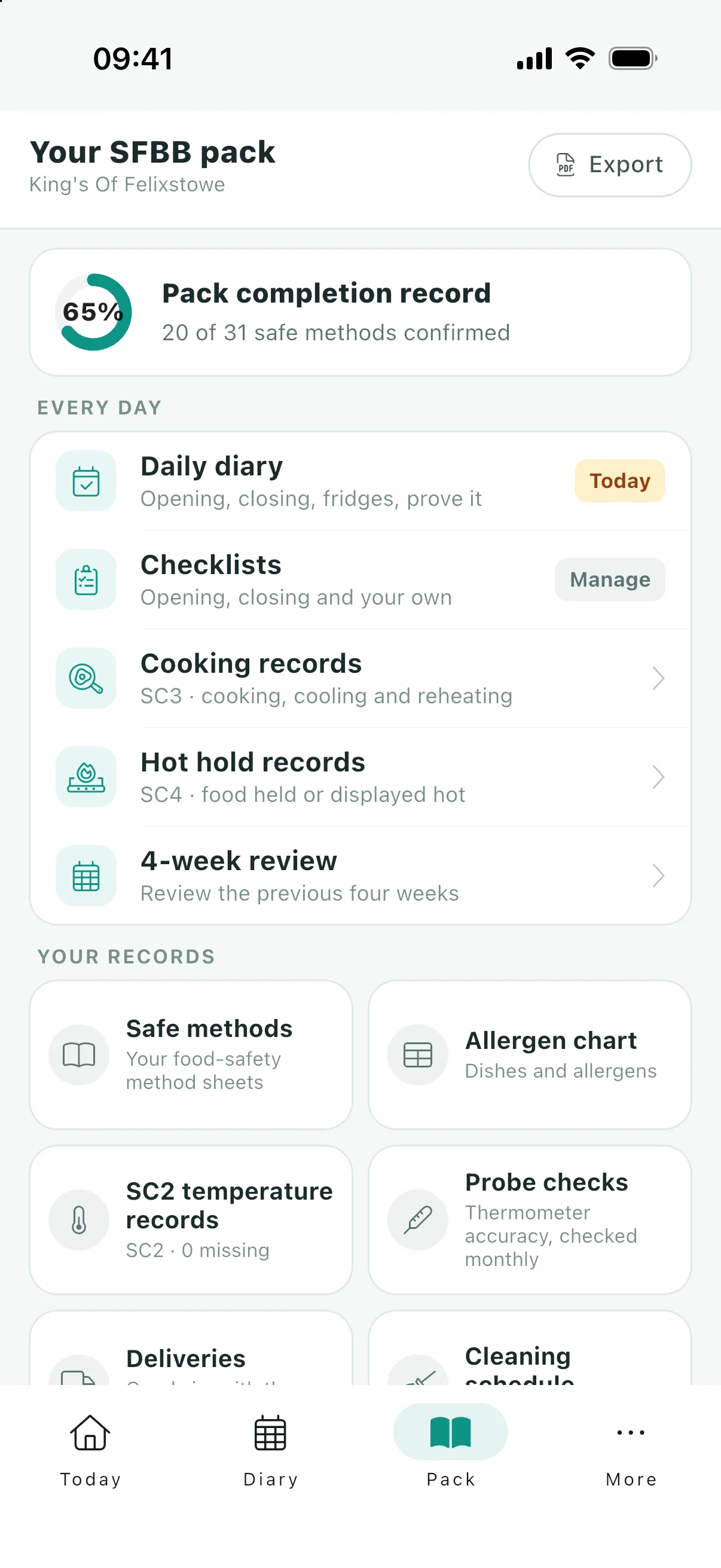
This app keeps that daily record for you. You tell it what kind of business you run and where, and it gives you the pack written for that business: the safe method sheets, the diary and the records the pack asks for, printed onto the official forms wherever the agency publishes one. It is free, and there is no paid tier holding any of it back.
The guidance in the app is our reading of the SFBB pack. We are proud to work with Buckinghamshire and Surrey Trading Standards as our Primary Authority. Your own local authority still has the final say on your food safety management system, as it always has.
Which pack the app gives you
The Food Standards Agency publishes more than one Safer Food, Better Business pack, and Scotland has its own, CookSafe. The app supplies each of these as its publisher wrote it:
- Restaurants, cafes, takeaways, pubs and other caterers: the SFBB pack for caterers, 31 sheets, in England and Wales. See a sample pack
- Residential care homes (not nursing homes): the SFBB pack for caterers with the residential care home supplement, 34 sheets, in England and Wales. See a sample pack
- Restaurants and takeaways serving Indian, Pakistani, Bangladeshi or Sri Lankan food: the SFBB pack for Indian cuisine, 32 sheets, in England, Wales and Northern Ireland. See a sample pack
- Restaurants and takeaways serving Chinese food: the SFBB pack for Chinese cuisine, 33 sheets, in England, Wales and Northern Ireland. See a sample pack
- Shops and other food retailers: the SFBB pack for retailers, 25 sheets, in England, Wales and Northern Ireland. See a sample pack
- Registered childminders who provide food for the children they look after: the SFBB pack for childminders, 8 sheets, in England, Wales and Northern Ireland. See a sample pack
- Catering businesses in Scotland, including Indian, Chinese and care home kitchens: CookSafe, from Food Standards Scotland, 11 sheets, in Scotland. Its sheets show in English whatever language the phone is set to. See a sample pack
In Scotland, CookSafe is for catering businesses, so a Scottish shop or childminder has no pack in the app. Nursing homes have none anywhere, and nor does a general caterer in Northern Ireland, where the FSA points caterers to its Safe Catering guidance instead. Those businesses can still keep general records in the app, but those records are not a complete pack for their setting.
The app supplies the published packs. It does not certify that your business complies: your written procedures still have to match what you actually do, and your local authority has the final say. The rest of this page walks through the caterer pack, the one most businesses use; the other packs keep the records their own publication asks for.
What the records are for
Nobody loses marks for keeping their diary on paper. Businesses lose them when the records are missing, out of date, or written up the night before. Management of food safety is one of the three scores behind your hygiene rating, and your written records are the part of the evidence for it that you can prepare: how that score is judged.
There is a legal side too. The defence under the Food Safety Act 1990 is that you took all reasonable precautions and exercised all due diligence, and the way to show that is a record made at the time. Records do not settle a case on their own and this is not legal advice, but the defence exists, and it is built out of what you can show you did.
So every record here is built to be checked:
- Dated twice. Each new diary entry is stored with when it was made as well as the day it is for, and when you go back to fill in a day you missed, the calendar tells you first that the entry is saved with the date you filled it in.
- Signed. A name on the diary and initials on a safe method, so an officer sees not just that a check happened but who did it.
- Assembled, not reconstructed. The EHO pack is built from the entries you already made. The four-weekly review still asks you its questions, but it puts a count of the four weeks’ complete days, part-done days and logged problems beside them, so you answer from the record rather than from memory alone.
- On the government’s forms. Wherever the FSA publishes a form, your records print onto it, and we compare our copies with the published files every week: which templates match.
Everything below is how. This is what it is for. It is also free, which in this market is unusual enough to need saying: what the paid apps charge.
The daily diary
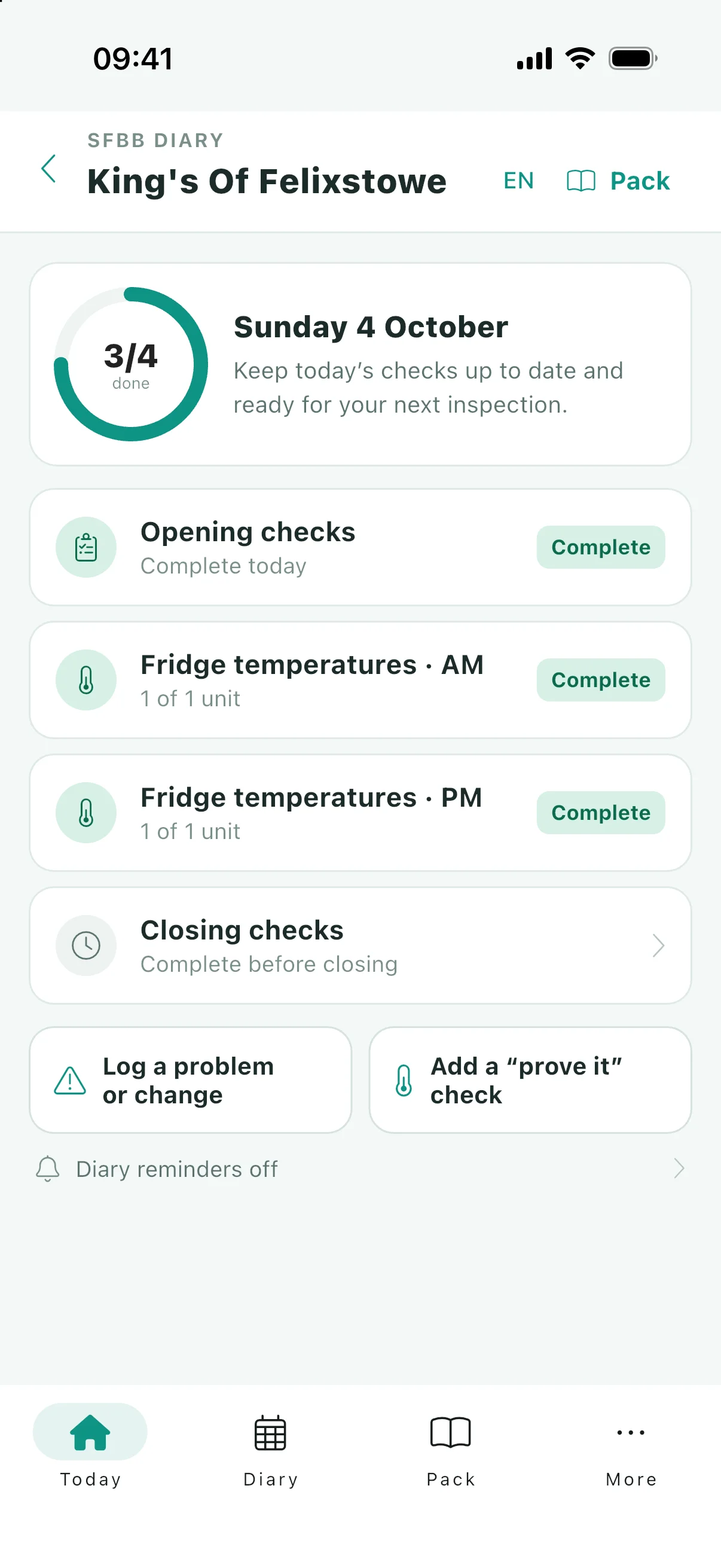
The diary is the page you touch every day, so it is built to be quick. Open it, tick what you did, put in your temperatures, and you are done. Every entry is signed, with a name on the diary and initials on a safe method, which is what an inspector is really looking for: not just that a check happened, but that a named person did it.
Today, in a couple of taps
Opening checks, closing checks, fridge temperatures and any extra checks you have defined, all on one screen for the day you are on.
Nothing silently missed
The calendar shows at a glance which days are complete and which still have gaps, so a quiet Tuesday three weeks ago does not go unnoticed until inspection day.
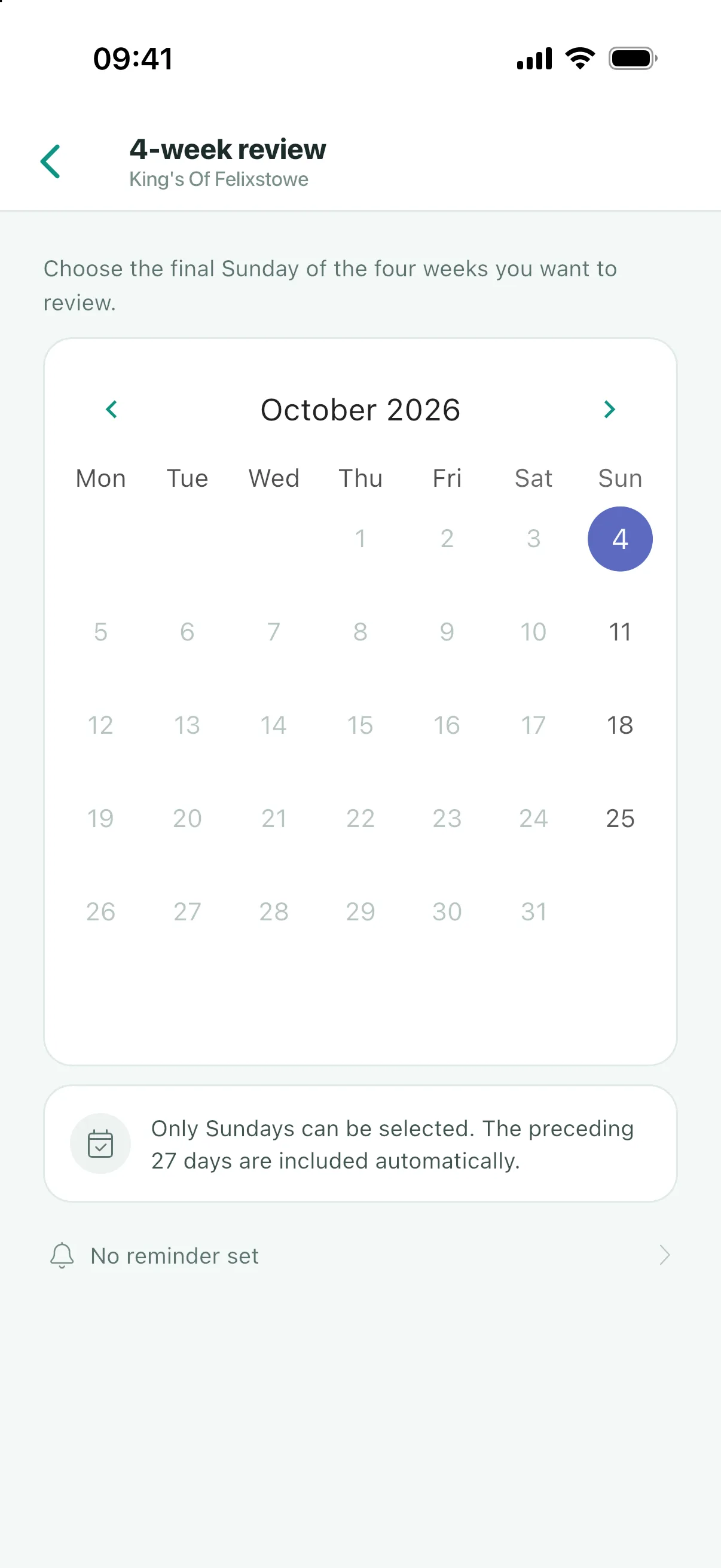
The four-weekly review
Counts of the four weeks’ complete days, part-done days and logged problems sit beside its questions. Answer them, sign it, done. There is no leafing back through a paper pack to remember what happened.
Reminders
Five of them, not two: opening, the afternoon fridge check, closing, the probe and the four-weekly review. Each is proposed with a time and none is switched on for you. How the five are set up.
Opening and closing checks
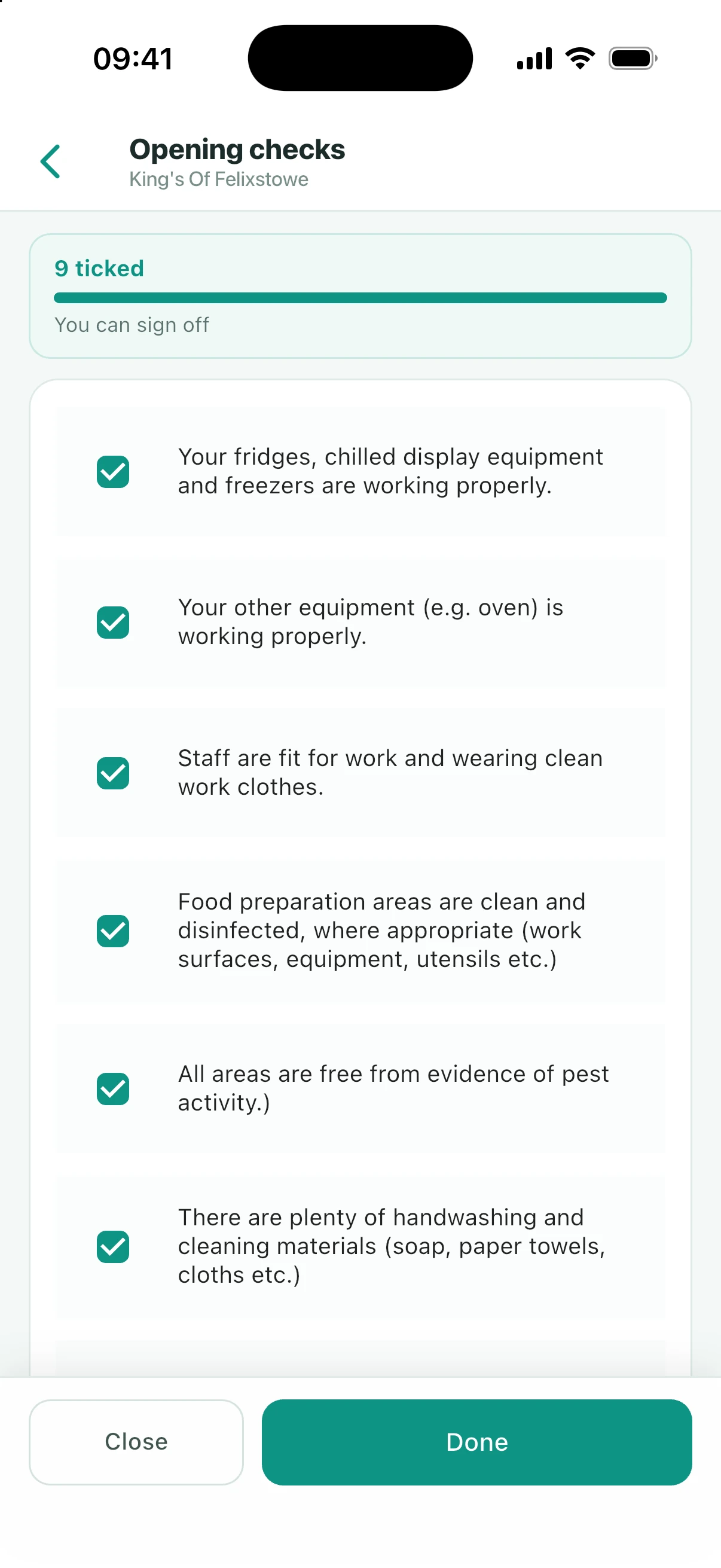
The pack asks you to run a short list of checks before service and another at the end of the day. In the app these are tick lists with a signature, and you can add your own checks alongside the standard ones.
Extra checks are yours to define. If your kitchen has a routine the standard pack does not cover, add it once and it is prompted every day from then on, and it prints in the diary with everything else.
SC2, SC3 and SC4 records
These are the temperature records the pack asks for, and they are the ones most often found incomplete. Each is built into the diary rather than kept as a separate notebook, and each prints onto the official form.
Fridge and freezer records
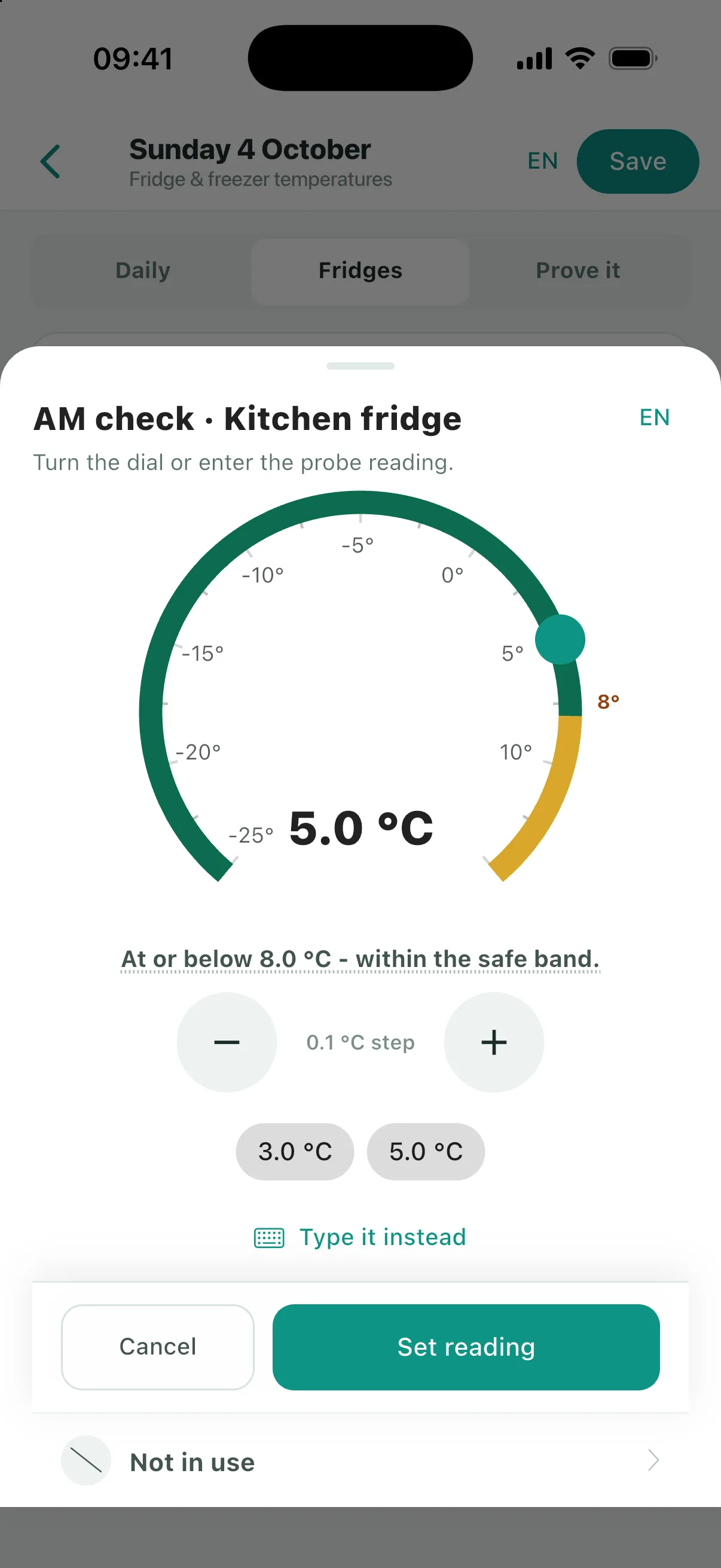
A morning and an evening reading for every unit you add. Temperatures go in on a dial rather than a keyboard, and readings above 8°C show amber so anything off jumps out of the page.
Cooking, cooling and reheating
Recorded batch by batch and stage by stage. The app prompts for a core temperature of 75°C or above when cooking and reheating, and flags a cool-down that took more than 90 minutes.
Hot holding
For food held hot for more than two hours. The app sets checkpoints at two, four and six hours on display and prompts you to keep the core temperature at 63°C or above.
Prove-it checks
Probe readings that show your safe methods actually work, across cooking, reheating, hot holding, chilling down, chilled storage and freezing.
The guideline figures are prompts, not gates. The app will tell you a reading is outside the usual range, but it will always let you record what you actually measured, because a record that quietly refuses bad readings is not a record. More on the temperature records.
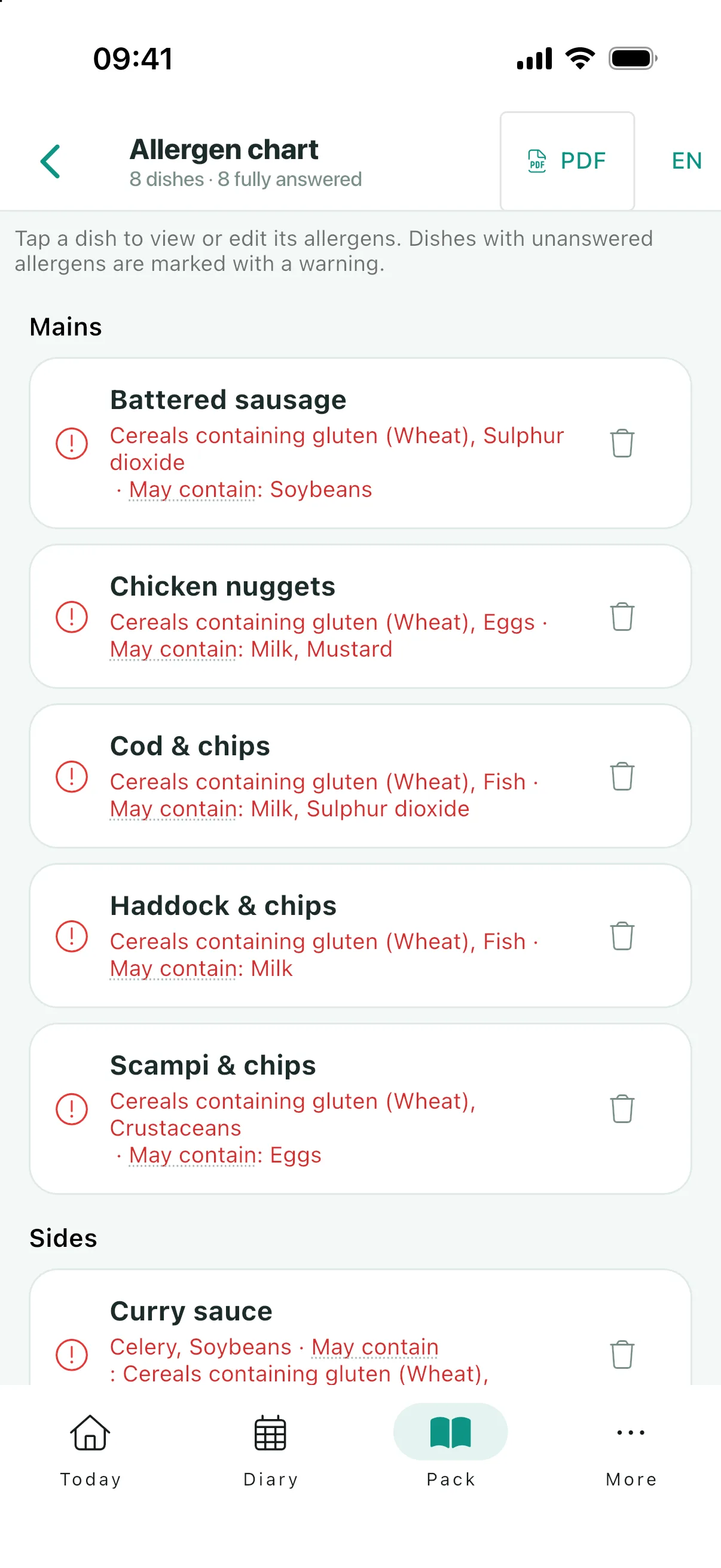
Allergen chart
Every dish on your menu against all 14 allergens, with each answer set to yes, no or "may contain". Cells you have not answered yet are flagged as unanswered, so a blank never gets read as a no.
You can name the specific cereals and nuts the way the rules require, rather than ticking a single box for "nuts". Photograph your menu or paste it in and the app reads the dish names in for you, which leaves you answering the allergen questions instead of typing. The finished chart prints onto the FSA template for the counter, and you can publish a customer-facing copy to your listing in a tap.
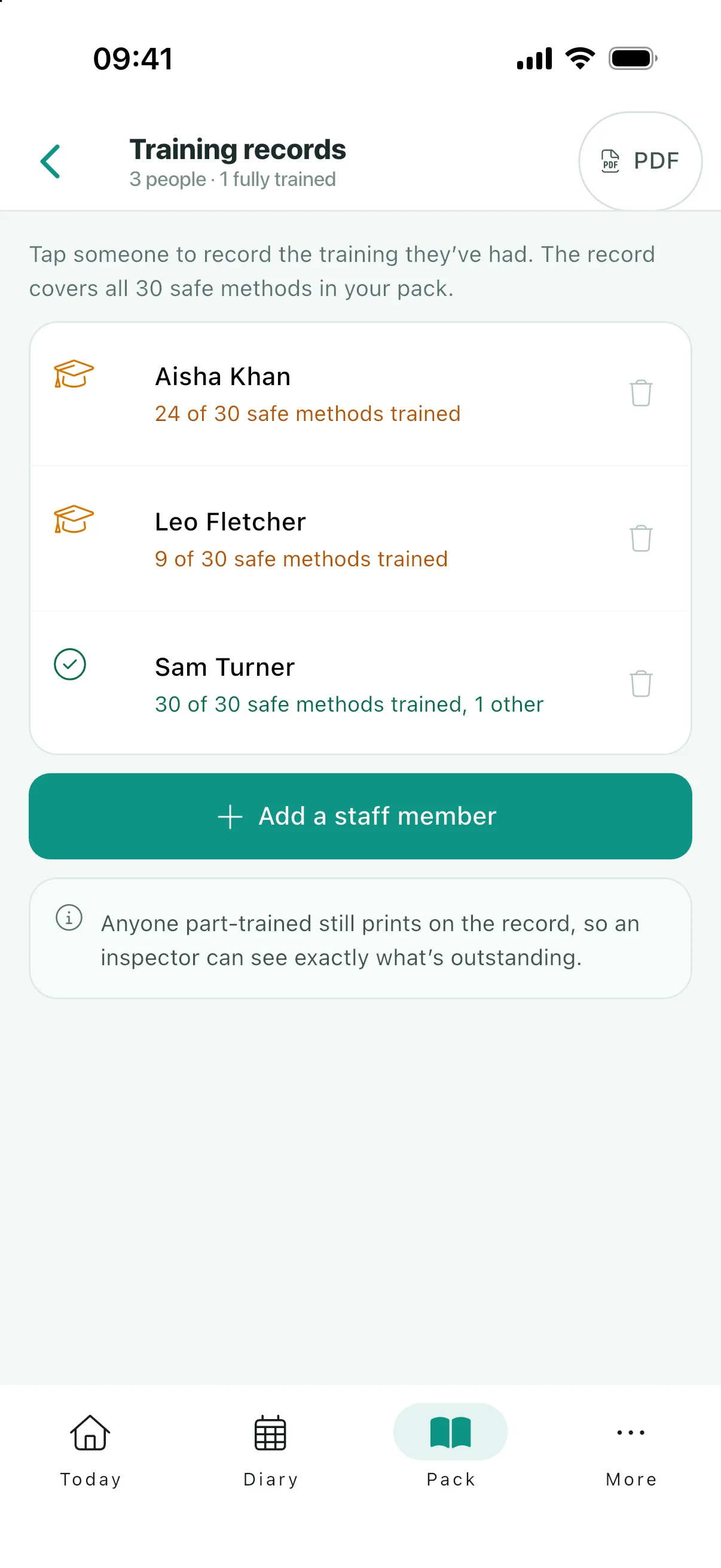
Staff training records
One record per member of staff, covering the 30 SFBB training points. They are the same rows as the FSA template, so what prints is the form your inspector already knows.
- Log each safe method as staff are trained on it, dated and initialled.
- Add your own entries for outside qualifications such as Level 2 Food Safety.
- See who is fully trained and where the gaps are before someone else points them out.
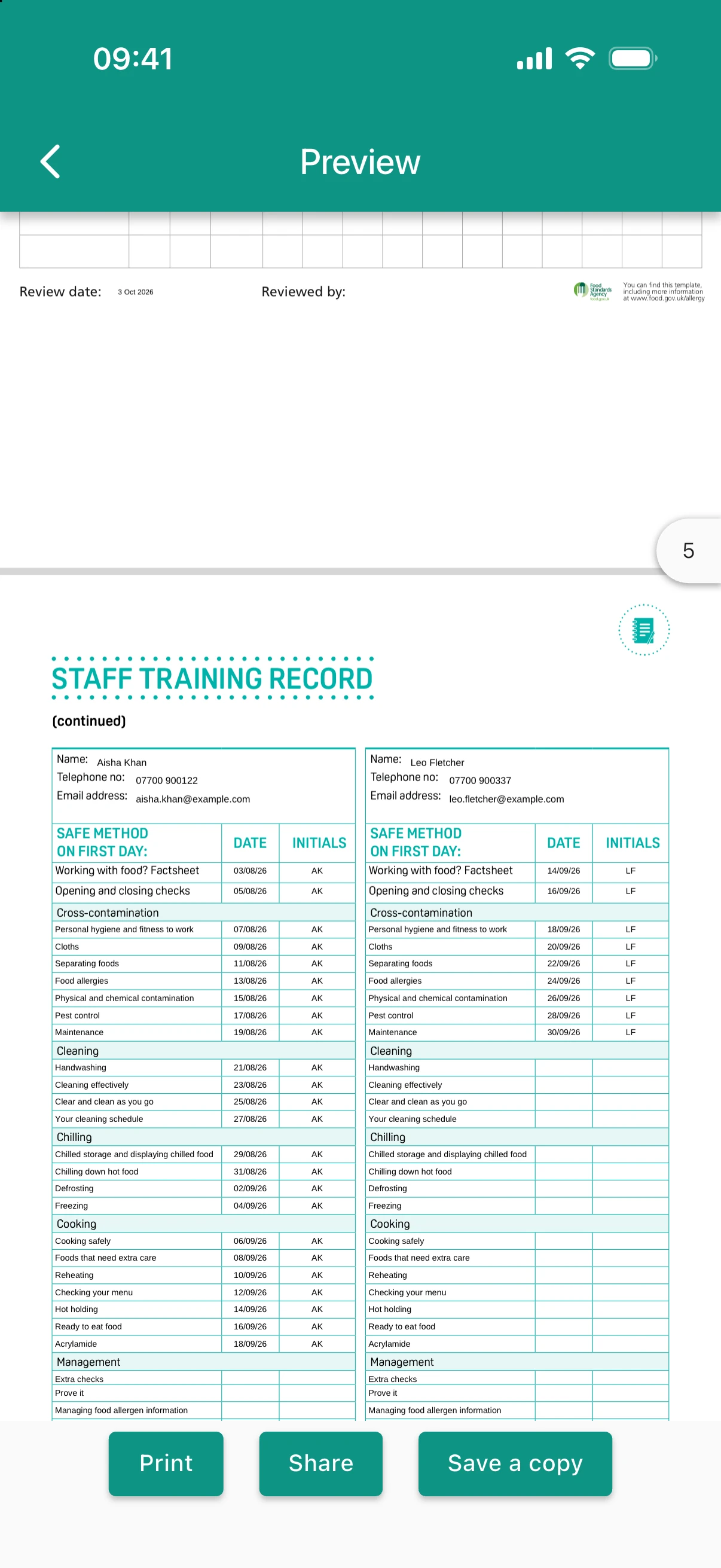
EHO-ready PDFs
Everything in the app prints onto the real FSA forms, filled in with your answers. Not a summary of your records, and not our own layout: the pack your inspector expects, completed.
You can print any single record, or generate the whole EHO pack for a date range you choose. That bundle contains:
- The safe method completion record, showing all 31 sheets as done, not relevant or still to do.
- Your completed safe method sheets.
- The allergen chart, every dish against all 14 allergens.
- Staff training records, one per person.
- The incident log for the period.
- The diary itself: opening and closing checks, temperatures, cooking records and reviews.
Print it, staple it, hand it over.
Team access
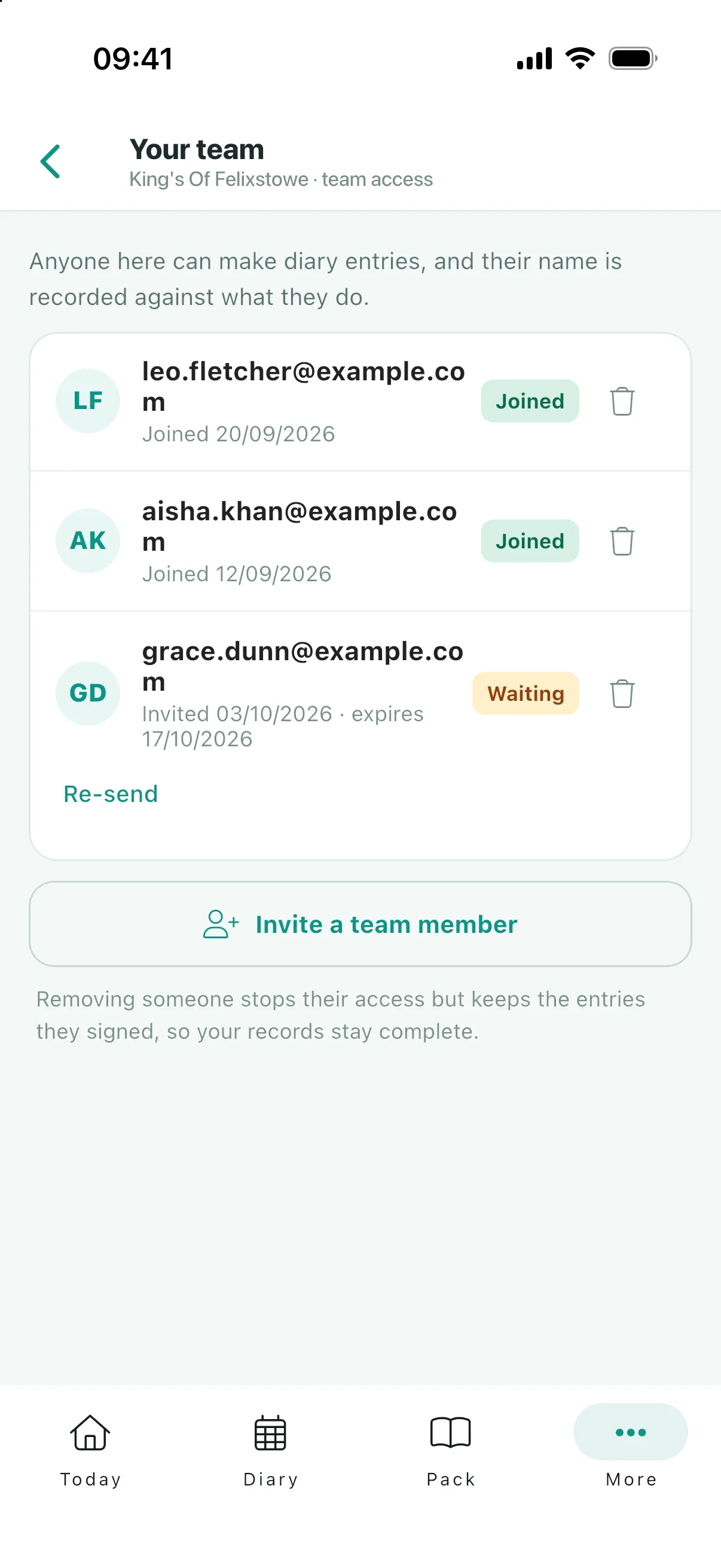
Invite your team to a site and the daily checks get shared out instead of waiting for whoever holds the folder. Every entry stays signed by the person who made it, so shared work does not mean an anonymous record.
Staff who will never install the app can still record the day’s checks: put a staff QR up in the kitchen and they scan it, tap their name and record, on their own phone.
Running more than one place? Add every establishment to the same account, keep each pack separate, and switch between them in a tap.
Free, with no ads
Every feature on this page is free. There is no subscription, no per-site fee, no trial that expires, no locked export, and no advertising anywhere in the app.
If we ever build paid features, they will sit above what you already have rather than taking anything away from it. Your records stay yours: private to you and the people you invite, stored in European data centres, exportable as PDF whenever you want, and erasable for good if you close your account. More on what free means here.
Start your pack tonight
Claim your business in the app and your diary starts the same day. Free on iOS and Android.